
- Getting started
- Sandbox API base URL: https://sandbox-integration-api.meshconnect.com
- Choose a test account: Use one of the pre-configured Sandbox v2 accounts below (each is set up for a different testing scenario).
- Configure, reset, or lock holdings: https://dashboard.meshconnect.com/company/sandboxConfig
- Compatibility: Sandbox v2 uses the same API structure and endpoints as production, so your integration flow stays the same.
What you’ll notice in Sandbox v2
1. More realistic test accounts and balances
Sandbox v2 includes multiple user accounts with different portfolios. Some accounts hold all assets, some hold none, some include balance for ramp testing, and others are token-specific (USDC, USDT, BTC, ETH, etc.).- Portfolios are now customizable from the Mesh Dashboard. Sandbox v2 no longer stores static, mocked exchange data.
- Portfolios update after each transaction and maintain state.
- You can reset portfolios at any time.
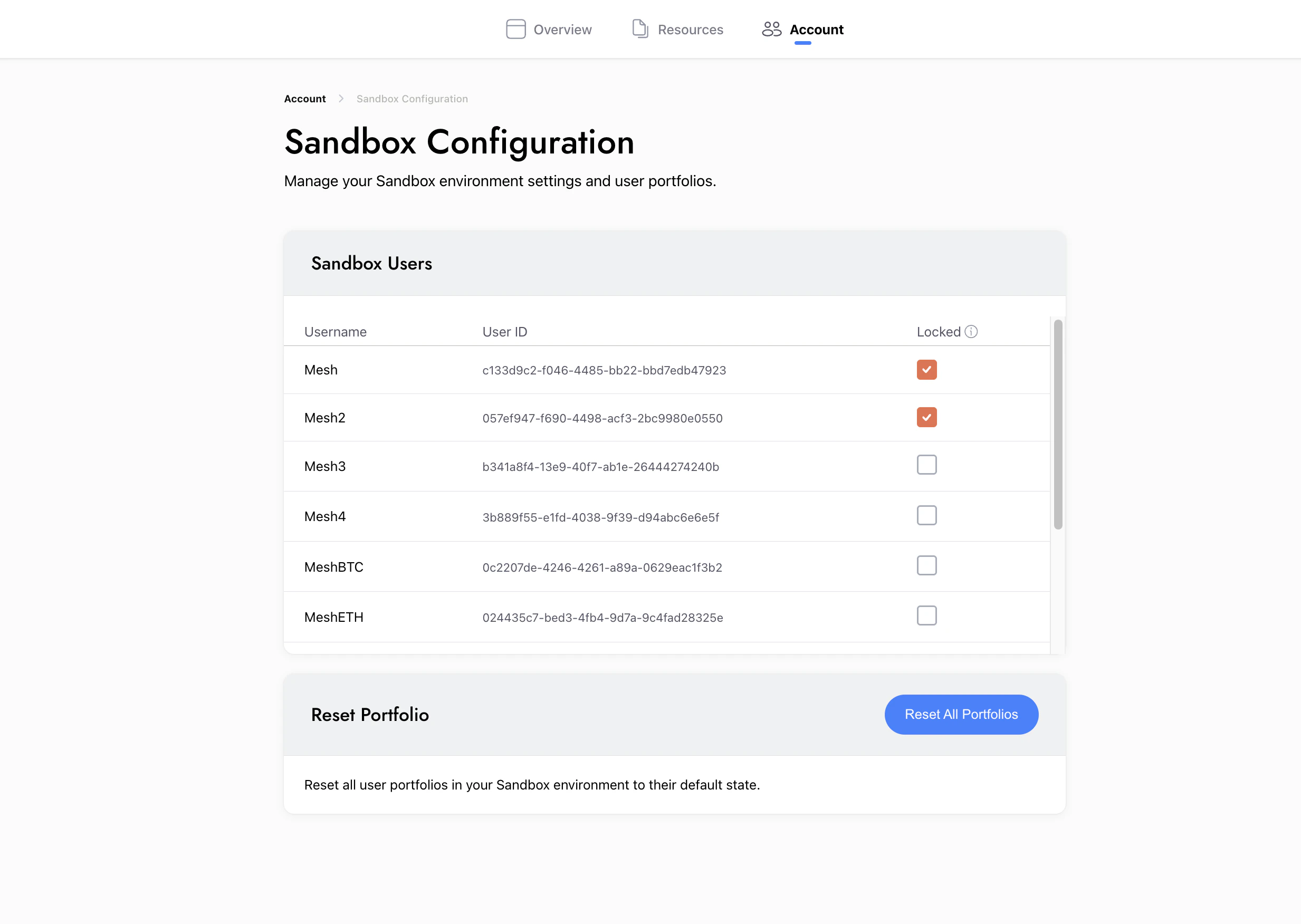
- You can lock a portfolio if you don’t want it to change after each transfer.
2. Scenario-driven testing
With dynamic, customizable portfolios, you can test scenario-driven use cases. You can recreate specific transfers with exact portfolio configurations to simulate production behavior in Sandbox.3. Real-time market pricing
The old sandbox used hardcoded asset prices that didn’t reflect real market values. Sandbox v2 uses real-time market prices, improving the user experience.What remains the same
- Isolated from production: prevents any interference with your live application.
- No breaking API changes: Sandbox API follows the same structure and endpoints as production, and responses are unchanged.
- Transfer experience unchanged: the transfer experience and API flows remain the same as the previous sandbox.
- Network & token support unchanged: supported tokens and networks remain the same, aligned with the Sandbox broker types listed below.
- On-chain wallet testing is unchanged. It supports Ethereum + Base Sepolia testnets via MetaMask, and Base Sepolia + Solana devnet via Phantom, for validating self-custody transactions.
- Dedicated API endpoint: https://sandbox-integration-api.meshconnect.com
Test access (accounts, OTP, and configuration)
1. Test accounts (portfolios)
Use the accounts below to quickly test common scenarios. Choose the portfolio that best matches your test case.- OTP: when prompted for an OTP in Sandbox v2, use 123456 (sandbox-only).
| Username | Password | Portfolio | USD Balance | Best for |
|---|---|---|---|---|
| Mesh | Pass123 | Full (BTC, ETH, BNB, DOGE, USDC, USDT, SOL, XRP, XLM, OP, AVAX, ARB, PYUSD, BLAST) | $10M | General testing |
| Mesh2 | Pass123 | 0 | 0 | Empty states |
| Mesh3 | Pass123 | 0 | $10M | Buy flows (cash, no crypto) |
| Mesh4 | Pass123 | Full (BTC, ETH, BNB, DOGE, USDC, USDT, SOL, XRP, XLM, OP, AVAX, ARB, PYUSD, BLAST) | $100M | Large transactions |
| MeshBTC | Pass123 | BTC | 0 | BTC specific |
| MeshUSDC | Pass123 | USDC | 0 | USDC specific |
| MeshUSDT | Pass123 | USDT | 0 | USDT specific |
| MeshPYUSD | Pass123 | PYUSD | 0 | PYUSD specific |
| MeshETH | Pass123 | ETH | 0 | ETH specific |
| MeshSOL | Pass123 | SOL | 0 | SOL specific |
- Detailed Portfolios here: User Portfolios
- Manage portfolios here: Sandbox Configuration
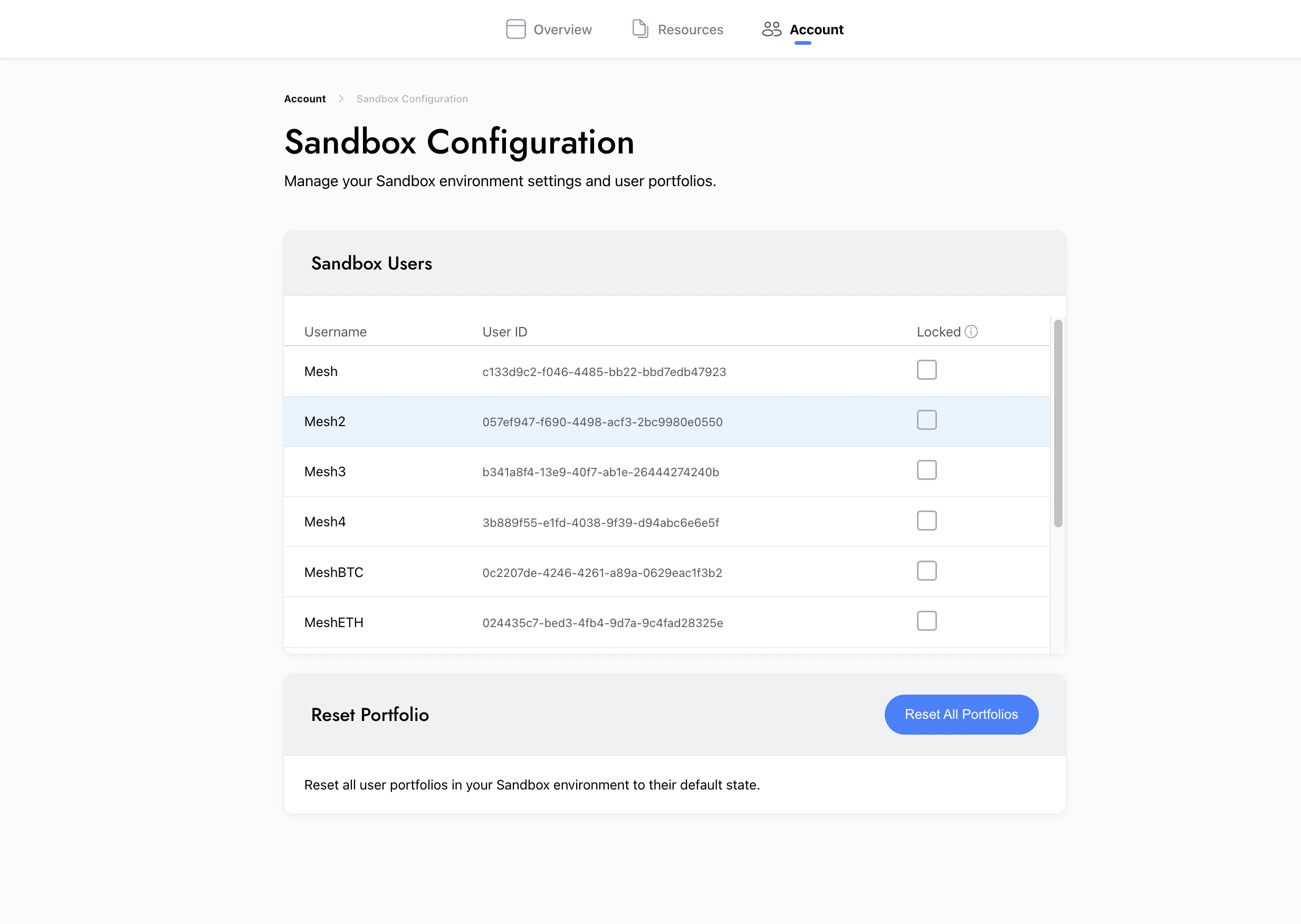
2. Sandbox Configuration (customize / reset / lock)
You can customize sandbox portfolios according to your testing needs:- Go to Dashboard → Account → Sandbox Configuration
- Customize holdings for the portfolio you plan to use
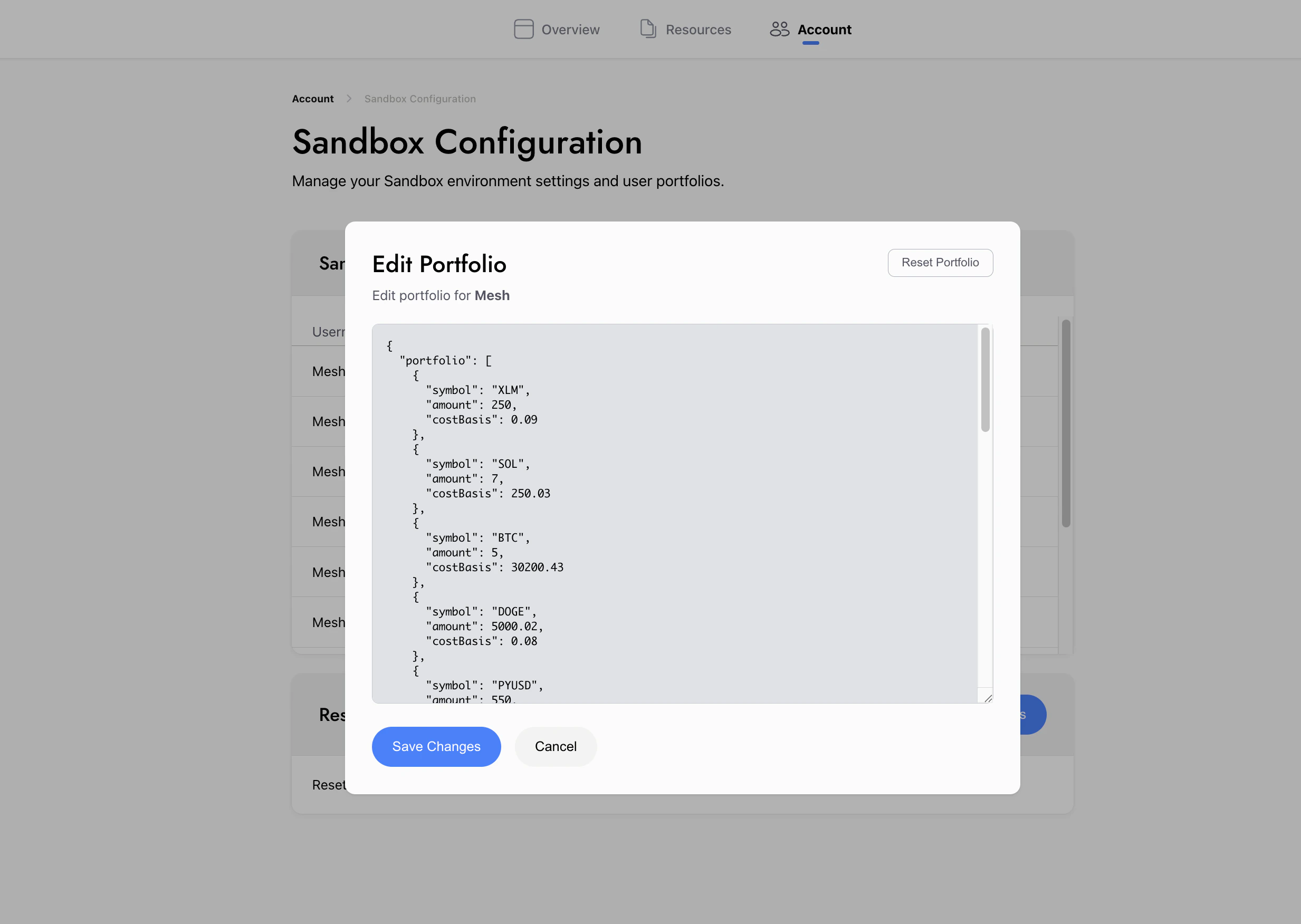
- Reset holdings to return to a known baseline (all portfolios or individually)
- Lock a portfolio to keep holdings unchanged across tests
3. Compatibility notes (for teams migrating from legacy Sandbox)
Sandbox v2 improves simulation reliability behind the scenes. If your configuration references legacy broker types, update them as follows:| Existing Sandbox (Many broker mocks) | Sandbox v2 (Two simulated brokers) |
|---|---|
| BinanceInternationalDirect, Robinhood and others | Sandbox |
| Coinbase | SandboxCoinbase |
Network & Token Support
Supported tokens and networks remain unchanged. The tables below list supported networks and assets for each Sandbox broker type.Binance (Sandbox broker type)
| Network | Tokens | Available Assets |
|---|---|---|
| Ethereum | 34 | USDC, ETH, USDT, ARB, MATIC, AAVE, UNI, DAI, LINK, SHIB, MKR, TUSD, SAND, PAXG, MANA, FTM, RNDR, WBTC, BUSD, QNT, GRT, IMX, SNX, USDP, APE, LDO, BLUR, ENA, USD1, FDUSD, VIRTUAL, DEXE, CAKE, WLFI, RLUSD |
| BSC | 10 | BNB, USDT, USDC, LTC, USD1, FDUSD, DEXE, FORM, CAKE, WLFI |
| Solana | 8 | USDC, SOL, USDT, TRUMP, FDUSD, FARTCOIN, WIF, PENGU |
| Optimism | 5 | ETH, OP, SNX, USDT, USDC |
| Polygon | 4 | USDC, USDT, POL, DAI, MATIC |
| Arbitrum | 4 | ETH, USDC, USDT, ARB |
| AvalancheC | 3 | AVAX, USDT, USDC, EURC |
| Base | 3 | ETH, USDC, VIRTUAL |
| Stellar | 2 | XLM, USDC |
| TON | 2 | TON, USDT |
| Aptos | 2 | APT, USDT, USDC |
| Sui | 2 | SUI, FDUSD |
| Tron | 2 | TRX, USDT |
| Bitcoin | 1 | BTC |
| Cardano | 1 | ADA |
| AvalancheX | 1 | AVAX |
| Ripple | 1 | XRP |
| Dogecoin | 1 | DOGE |
| Sonic | 1 | S |
| Litecoin | 1 | LTC |
| Injective | 1 | INJ |
| Sei | 1 | USDC |
Coinbase (SandboxCoinbase broker type)
| Network | Tokens | Available Assets |
|---|---|---|
| Ethereum | 28 | ETH, USDC, MATIC, USDT, AAVE, UNI, PYUSD, DAI, LINK, SHIB, MKR, SAND, RNDR, WBTC, CRO, QNT, GRT, IMX, INJ, SNX, APE, LDO, BLUR, ENA, CAKE, EURC, USD1, WLFI |
| Solana | 8 | SOL, USDC, PYUSD, TRUMP, FARTCOIN, WIF, PENGU, EURC |
| Arbitrum | 4 | ARB, USDC, ETH, DAI |
| Optimism | 4 | OP, ETH, DAI, USDC |
| AvalancheC | 3 | AVAX, USDC, DAI |
| Polygon | 3 | USDC, MATIC, POL |
| Base | 3 | ETH, USDC, EURC |
| Aptos | 2 | APT, USDC |
| Bitcoin | 1 | BTC |
| Cardano | 1 | ADA |
| Ripple | 1 | XRP |
| Dogecoin | 1 | DOGE |
| Sui | 1 | SUI |
| Stellar | 1 | XLM |
| TON | 1 | TON |
| Blast | 1 | BLAST |
| Monad | 1 | MON |
Things to Take Care Of
If you have automated integration tests or scripts referencing legacy sandbox brokers or portfolio-based tests, update them to avoid issues as Sandbox v2 rolls out.- Update BrokerType configuration
- DeFi wallets remain unchanged.
- If you’re using the Robinhood BrokerType, you can switch to Sandbox (Binance), it functions the same way internally for sandbox environments.
Old Sandbox Sandbox V2 BinanceInternationalDirect/RobinhoodSandboxCoinbaseSandboxCoinbase
- Update Portfolios
- Use the Sandbox v2 portfolios listed above and update your test username and expected holdings accordingly.
- If the default holdings don’t match your test case, you can customize the portfolio in the Mesh Dashboard (Sandbox Configuration).
- If you see a “No Balance” or “Low Balance” message in the UI
- Reset the portfolio from Dashboard → Sandbox Configuration, or adjust holdings to match the scenario you’re testing.